
Magiesta demo
Magiesta demo is installed on mini server that is located in our test room.
Please visit: http://user.magiesta.com/test
Pair code for access to application in this demo is 12345.
Try our application for mobile devices
With our free app you can control your Magiesta Smart Home from your iPhone, iPad, Android tablet or Android smartphone.
- User friendly application for easy control from any modern (tablet, smartphone…) device
- Minimum requirements
- The app is absolutely free
- Just insert Magiesta server address and enjoy
 Download application from Google play or App Store
Click on button

Or scan QR code

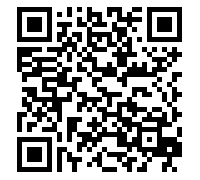
Android iOS
 Configure your application
Open Magiesta application on your mobile device, open the setup menu by swiping your finger from left to right edge of the screen. Select "Settings" (the first item in the menu) and fill in the requested information:
- Address of demo server: "user.magiesta.com/test"
- Device orientation
- Press "Save" button
And you're done any necessary adjustments.